

 5m
5m
OKX Wallet is available in both mobile and browser extensions.
You can download the mobile versions here:
OKX Wallet supports four browsers. You can download them here:
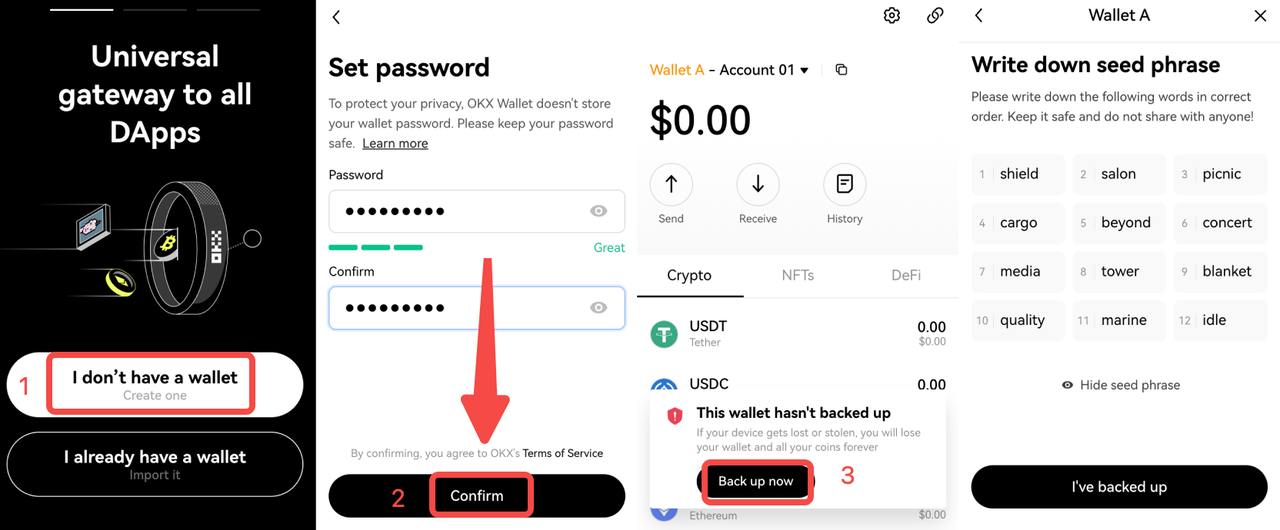
Creating a new wallet in OKX Wallet is very simple.
If you already have a wallet, you may import existing wallets into OKX Wallet using a seed phrase or private key.
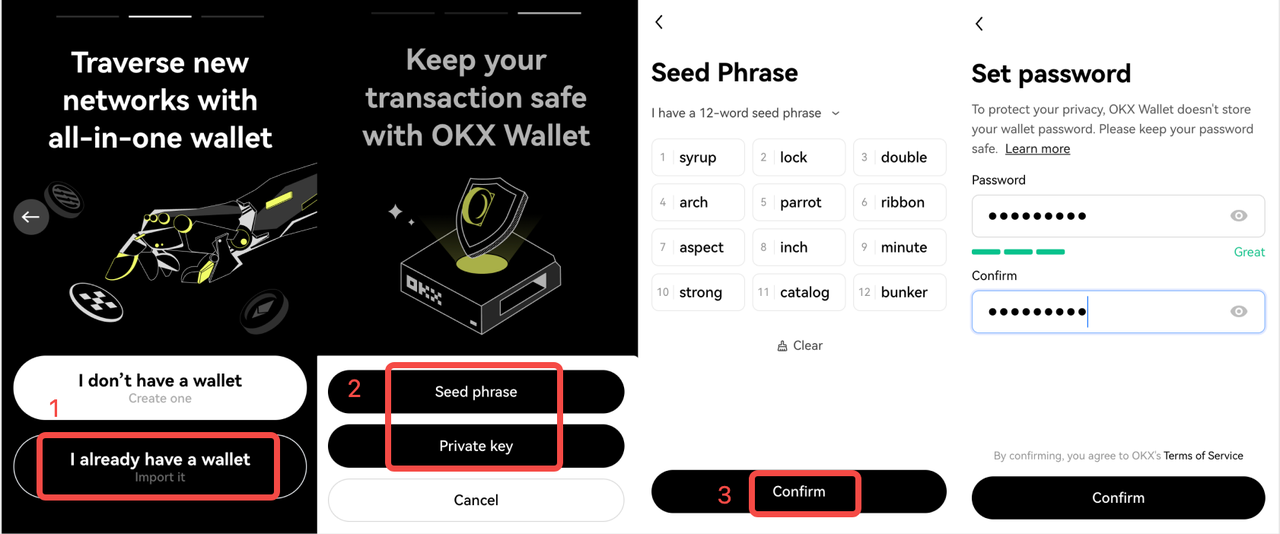
If you have multiple wallets under the same seed phrase in MetaMask, importing the seed phrase will transfer all the wallets associated with it.
You may delete MetaMask after you complete the import. You can just remove the browser extension or delete the App. Because MetaMask does not store any user data, there is no MetaMask account to delete.
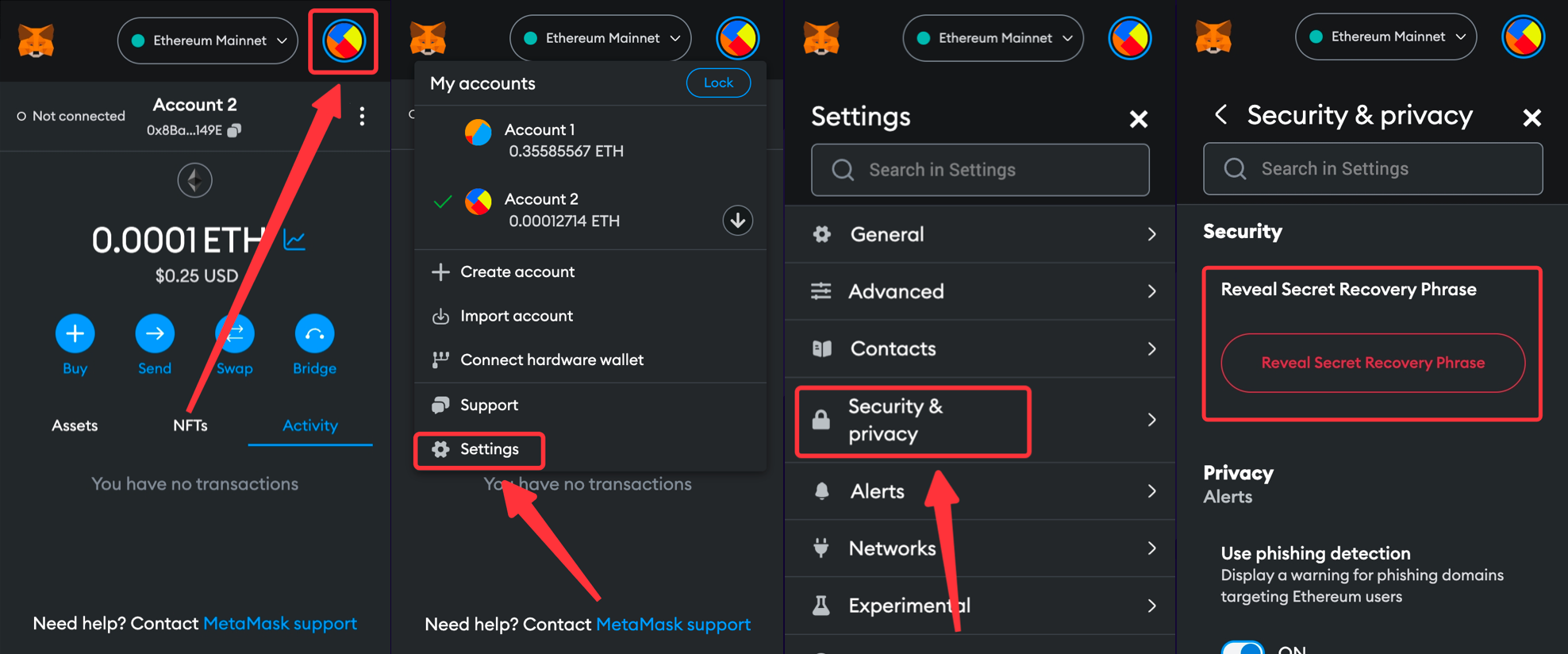
If you do not remember your seed phrase, you may recover your seed phrase from MetaMask in the following steps.
Now you are all set. Try out the OKX Wallet yourself!
 APP
APP

 5852
5852