

 3m
3m
TokenInsight Bulk Transfer Assistant는 TokenInsight가 개발한 코인 대량 이전 도구입니다. 이전 어시스턴트는 완전히 오픈 소스이며 추가 가스 수수료가 없으므로 어떤 사용자도 언제든지 자신감을 가지고 사용할 수 있습니다.
Github 링크: https://github.com/tokenInsight/coin-tools
현재, 일괄 이전 도우미는 9개의 체인을 지원하며, 이 9개 체인에 대한 해당 계약 공개 주소는 다음과 같습니다:
도구를 열기 위해: tokeninsight.com/products/bulk-transfer
네트워크를 선택하고 암호화폐 지갑을 연결하세요.
원하는 토큰 계약 주소를 선택하거나 입력하세요.
end.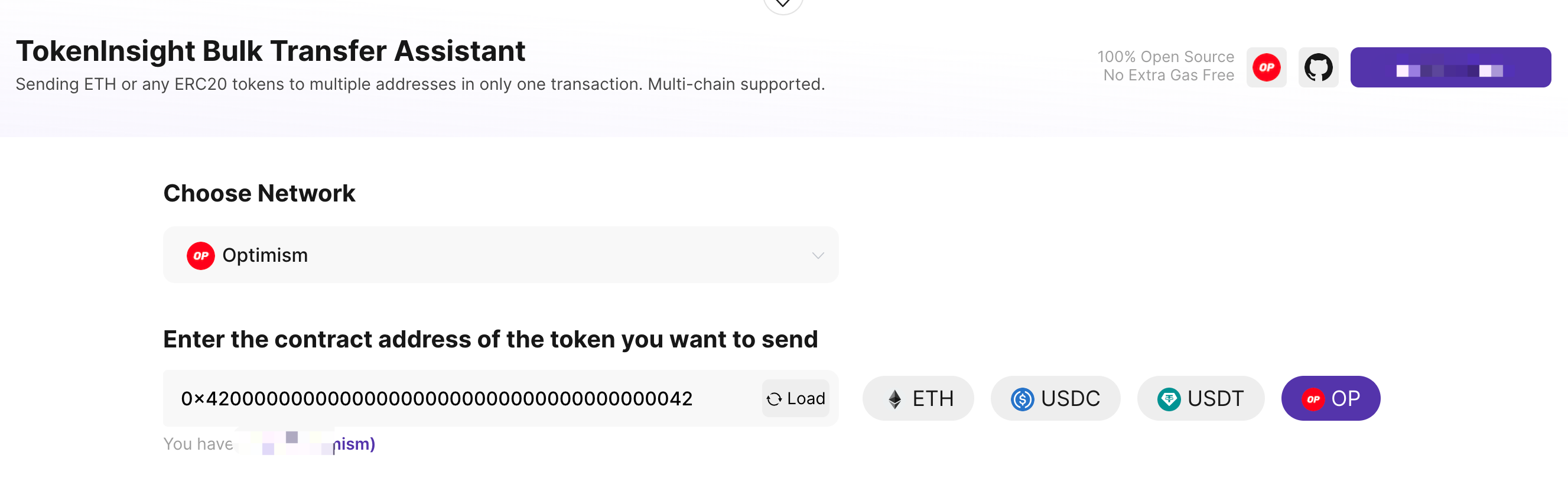
We have preset some commonly used coins for different networks, which can be selected directly. If you want to send a different coin, just enter its contract address and click "Load." After that, the balance of that token in your address will be loaded and displayed.
You are ready for the next step.
Enter the target addresses you want to send to and the amounts to be sent to each address.
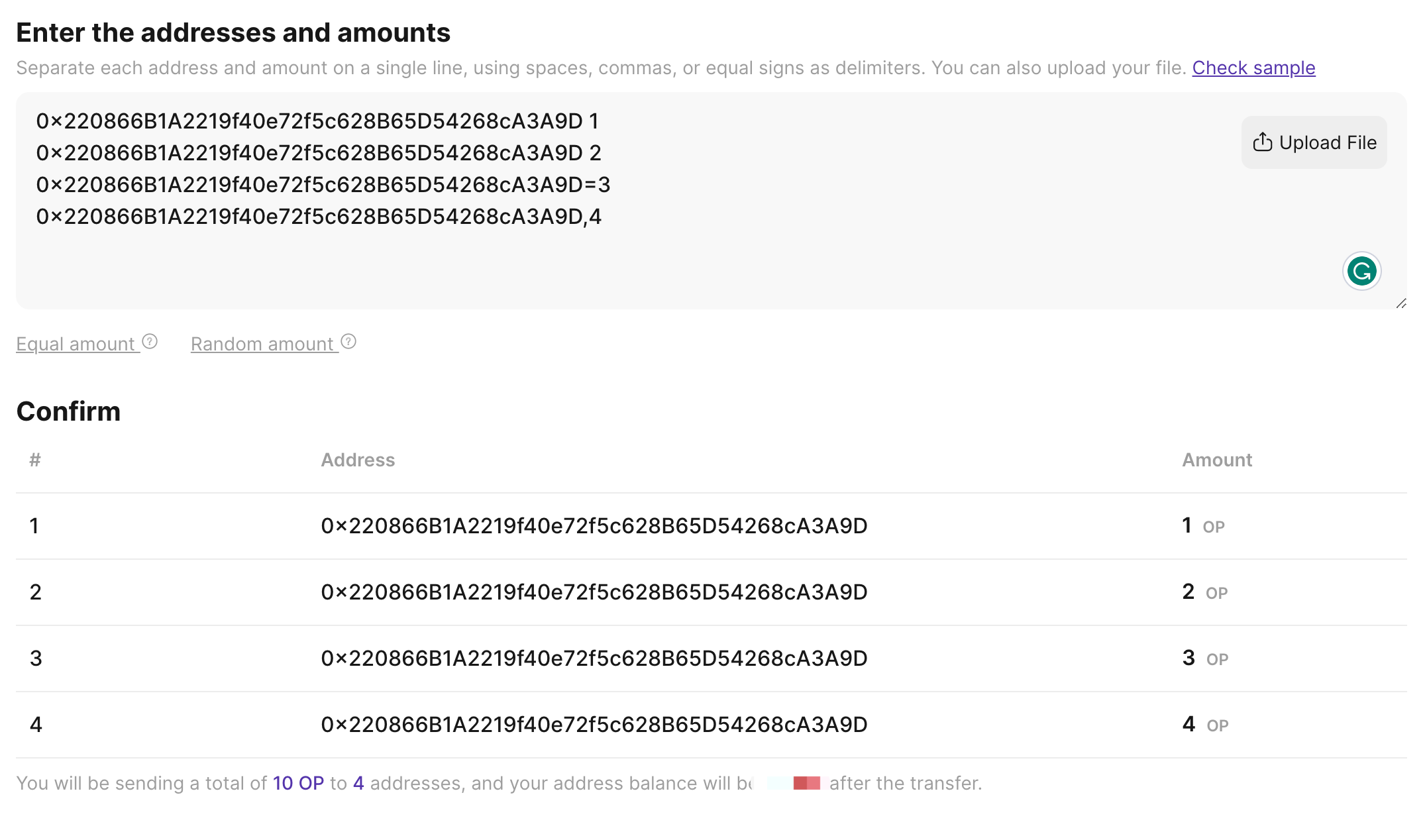
In the input box, you need to put the address and the amount in the same line, with one address per line. Any symbol can be used to separate the address and the amount, such as an equal sign, comma, space, etc.
After that, the list of your transfers will be displayed in real-time at the bottom, as shown in the figure above.
We also support uploading addresses and amounts directly (via csv or txt).
Regarding the specific amount sent to each recipient, we also provide two additional options: "Equal amount" and "Random amount."
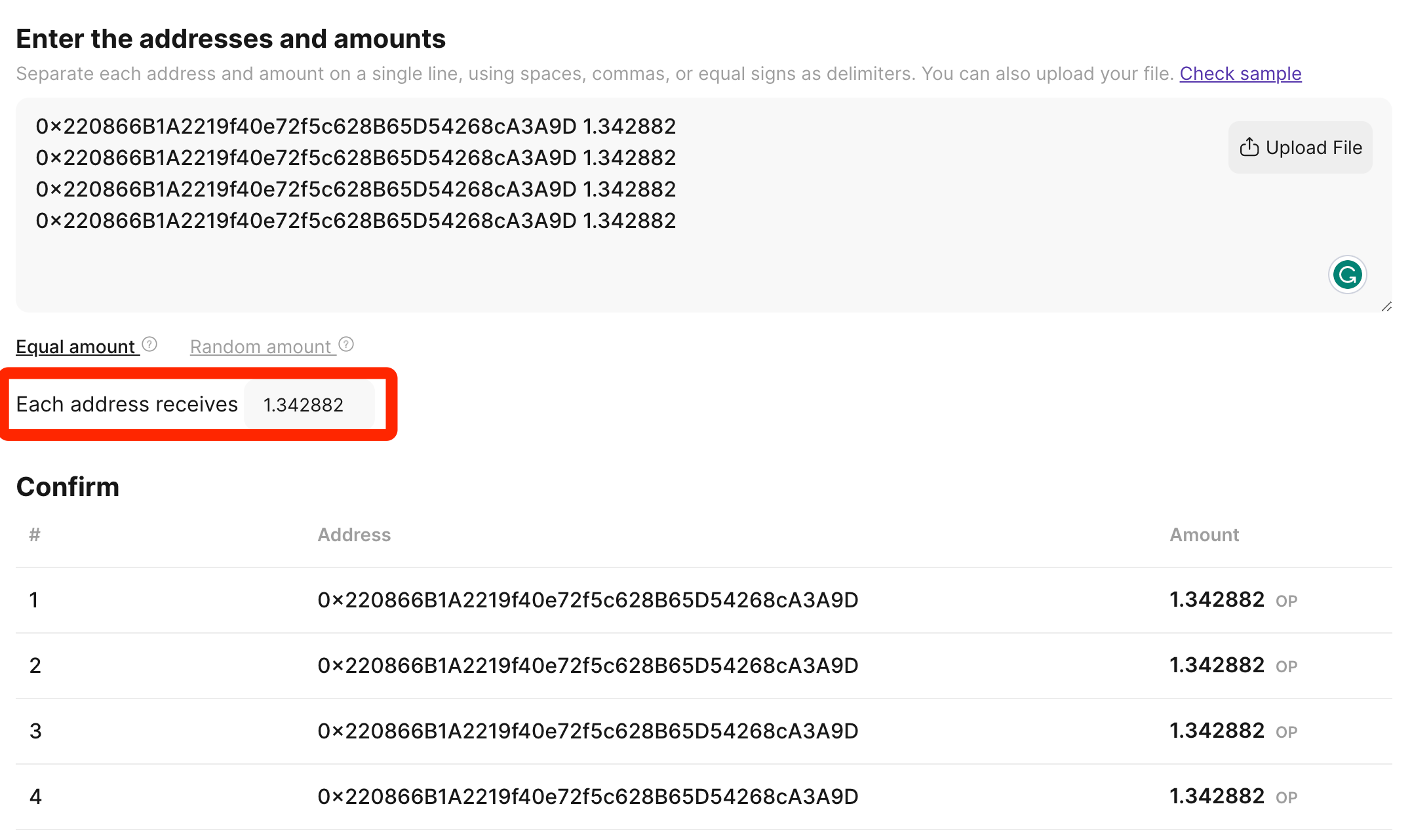
If you choose "Equal amount," you only need to input the specific amount to be sent to each address with just one click.
If you choose "Random amount", you need to determine the range of the random amount and the number of decimal places.
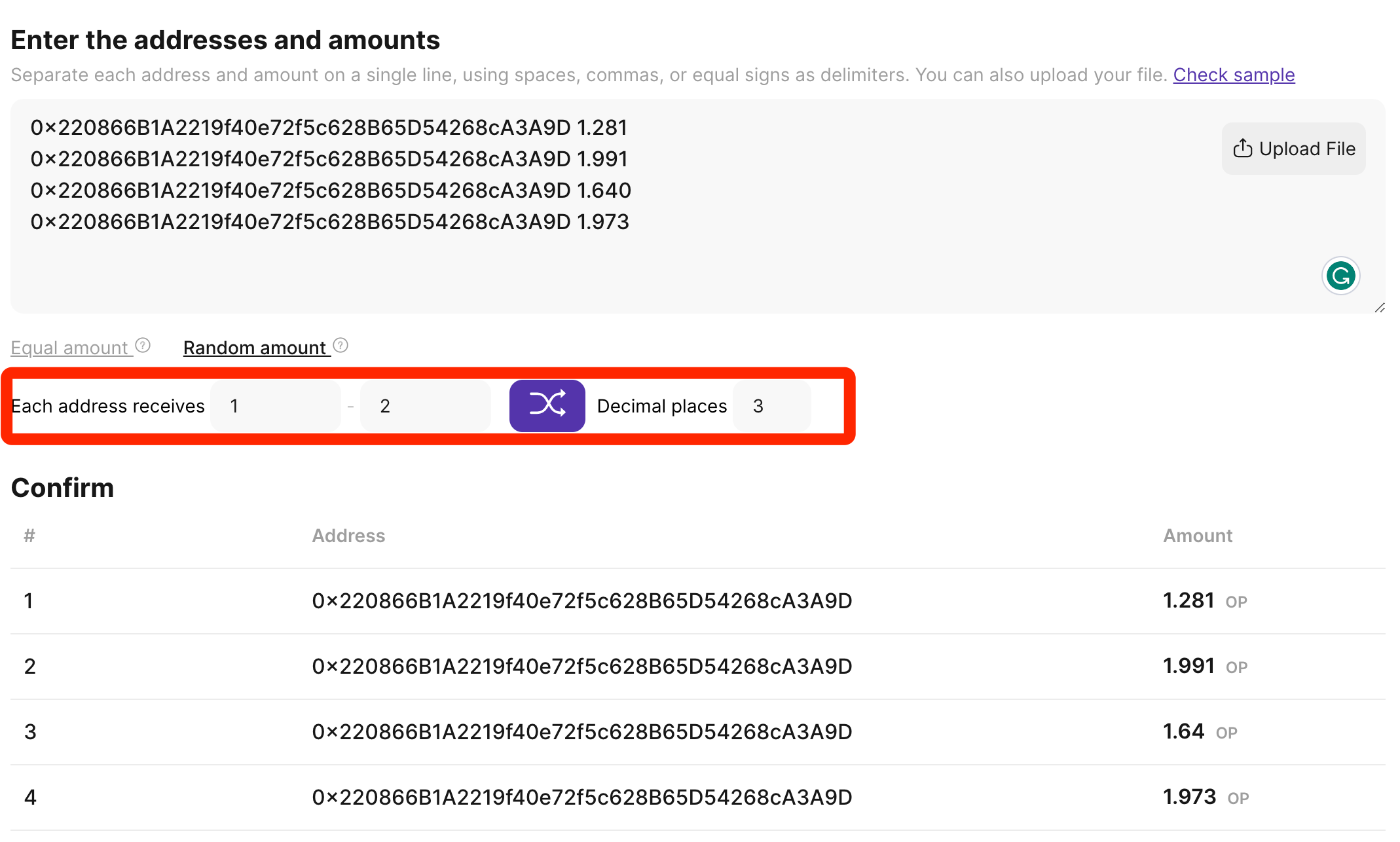
You can click the purple random icon multiple times to refresh the random amount.
Approval and execution.
After connecting your wallet and entering the token contract you want to send, you will be able to see the amount of tokens authorized to our open-source contract by your current address in the fifth step, as shown below:
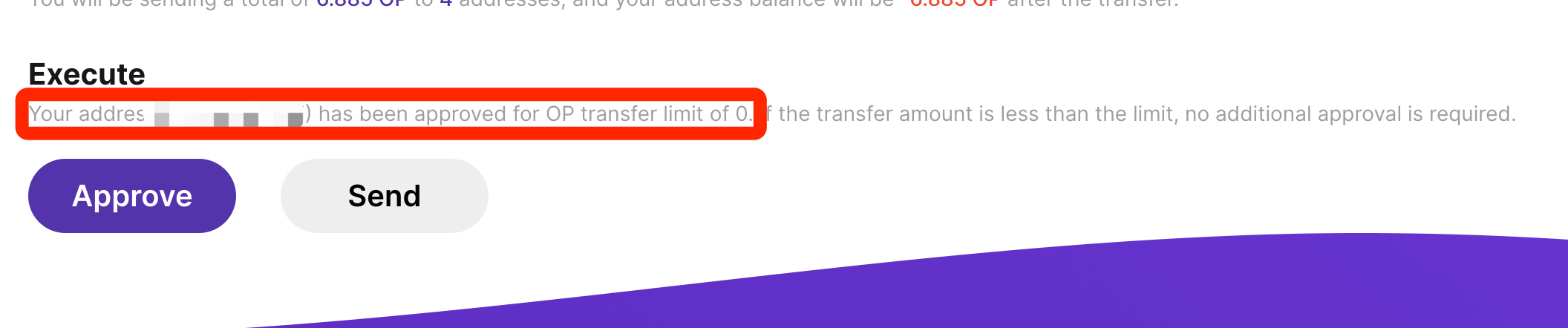
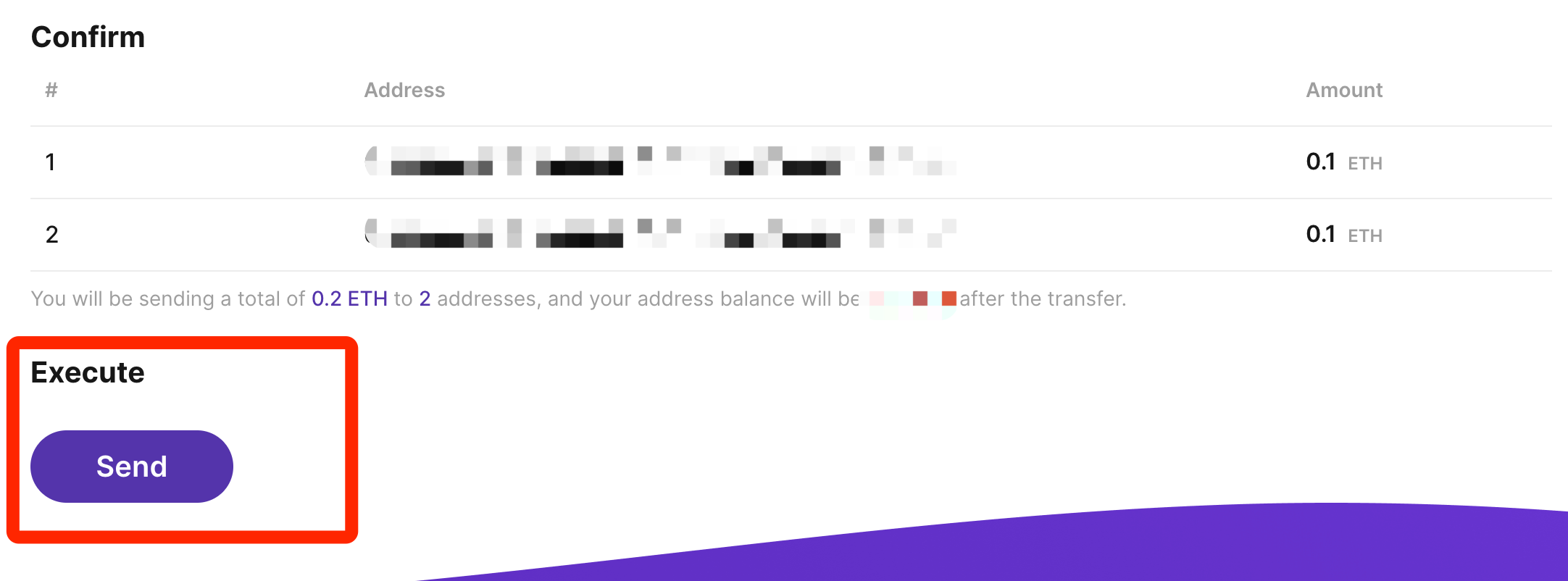
If you haven't made any approval before, you need to approve it before executing the transaction. After the transaction is sent, you can view the on-chain actions of the transaction execution on the right-hand side.
Note that if you choose to send the native token of the network, such as sending ETH token on the Ethereum or Arbitrum network, no approval is required. Therefore, when you perform such operations, you will not see the approved amount or approve button.
Welcome to use our Batch Transfer Assistant. Again, our Batch Transfer Assistant is fully open-source and does not charge any additional g요금으로. 문제가 발생할 경우 언제든지 문의하십시오. 또한 개선 제안 및 추가 지원 요청을 환영합니다.
문의 이메일: info@tokeninsight.com
트위터 (DM은 열려 있음): https://twitter.com/tokeninsight
 앱으로
앱으로

 24914
24914